Must Know Facts Before Buying Windows Touch POS
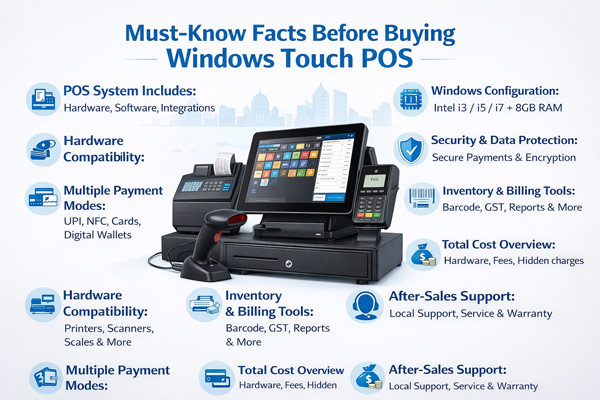
Choosing the right POS (Point of Sale) system is a critical decision for any business. A Windows Touch POS machine can simplify billing, improve customer service, and help you manage inventory more efficiently. However, buying a POS machine without understanding its features and benefits can lead to unnecessary expenses and operational issues. This guide provides must-know facts before buying a Windows Touch POS machine to help you make an informed decision.
What is a Windows Touch POS Machine
A Windows Touch POS machine is a billing system that runs on the Windows operating system with a touch screen interface. It combines both hardware and software to handle everyday business tasks such as billing, inventory tracking, sales reporting, customer management, and tax compliance. These machines are widely used in retail stores, restaurants, supermarkets, and other service businesses.
Benefits of Windows Touch POS Systems
Before making a purchase, it is essential to understand the advantages of a Windows Touch POS system:
Improved Billing Accuracy – The touch screen interface reduces human errors compared to traditional cash registers.
Faster Operations – Quick access to products and billing functions speeds up transactions.
Inventory Control – Track stock levels in real time and avoid stock outs or overstocking.
Sales Reporting – Generate detailed sales reports to analyse performance and trends.
GST Compliance – Built-in billing software helps create GST compliant invoices.
Scalability – Suitable for small, medium and large businesses with options to expand features.
Ease of Integration – Compatible with accounting, inventory and ERP software tools.
Key Features to Consider
When buying a Windows Touch POS machine, these features should be on your checklist:
Operating System Compatibility
Choose a POS that runs a supported version of Windows for long term software updates.
Processor and RAM
A higher performance processor and sufficient RAM ensures smooth operation during peak hours.
Touch Screen Display
Look for a responsive and durable touch screen that performs well in high use environments.
Peripheral Support
Check support for barcode scanner, thermal printer, cash drawer, card reader and keyboard.
Storage and Backup
Adequate storage and cloud backup options protect your business data.
Connectivity
Ensure the POS machine has enough USB, Ethernet and Wi-Fi options for peripherals and network access.
Security Features
Built-in antivirus and secure login options protect sensitive business data.
Software and Licensing
The POS machine is as good as the software it runs. Always check:
Billing software version and update policy
Number of user accounts supported
Reports and analytics features
GST compliance and tax settings
License validity and renewal charges
Ask the supplier if they provide software training and ongoing updates.
After Sales Support and Warranty
Before making a purchase, confirm the following with your POS supplier:
Warranty period for hardware and software
Availability of local technical support
Response time for repairs and troubleshooting
Cost of extended warranty or annual maintenance
A reliable support team ensures minimal disruptions in business operations.
Total Cost of Ownership
The price of a Windows Touch POS machine includes more than just the hardware. Consider:
Hardware cost
Billing software license fees
Installation charges
Training cost
Annual maintenance and support cost
Peripheral devices cost (printer, scanner, cash drawer)
Budgeting for the total cost ensures there are no hidden expenses later.
Compatibility with Business Requirements
Every business is unique. Match your POS features with your business needs:
Retail stores need strong inventory and barcode support
Restaurants need table and order management
Supermarkets need fast billing and scanning
Multi location businesses require centralized reporting
Choosing a POS that fits your business type ensures maximum efficiency.
Supplier Reputation and Reviews
Before finalising a supplier, research:
Customer reviews and ratings
Years of experience in POS sales
After sales support track record
Warranty and service terms
Reliable suppliers offer genuine products, installation support and training.
Future Proof Features
Choose a POS system that supports future upgrades and trends such as:
Cloud connectivity for remote reporting
Mobile POS integration
Contactless payment options
Advanced analytics and AI insights
Future ready POS systems help your business stay competitive.
Conclusion
Buying a Windows Touch POS machine is an important investment for your business. By understanding these must-know facts, you can avoid common mistakes and choose a system that boosts productivity, supports growth, and enhances customer satisfaction. Always evaluate features, software compatibility, support services and total costs before making a decision. A well chosen POS machine will serve your business efficiently for years to come.
Recent Posts
-
Top 5 Posway Windows Touch POS Machine Suppliers Bangalore
February 26, 2026 -
Top Rated Windows Touch POS Machine Sellers in Bangalore
February 26, 2026